


What’s New in Qlik Cloud
– November 2026 Updates –
Welcome to November’s edition of the ‘What’s New in Qlik Cloud’ blog, covering the features released in October 2026.
Authors: Roger Gray, BI Manager & Tom Cotterill, BI Consultant at Climber.
Data Analytics
This month’s headline is the arrival of semantic models in data products. Teams can define relationships, dimensions, and measures once and reuse them across applications, helping keep business definitions consistent.
Other highlights include:
- An updated Qlik Predict experience, with clearer experiment setup and model insights.
- Easier app navigation and design, with new preview features and styling options.
- More no-code data preparation tools, alongside improvements to automation governance.
- Direct Access gateway 1.8.1, with expanded connector support and fixes.
Read on for a closer look at the updates and what they mean for your team.
1. Data products: semantic model for governed relationships, dimensions, and measures
Data products can now include a semantic model that analytics applications consume by reference. It provides shared definitions of tables, fields, relationships, dimensions, and measures.
Teams can define business logic once and reuse it across applications. This gives analysts and agentic AI a governed set of definitions without rebuilding the same data model and master items in every app.
- Visual modelling: use tables and fields from the data product’s datasets to build the model. Define single-field or composite relationships, then create dimensions and measures using Qlik script expressions. Data previews let you check tables and fields as you go.
- Suggested relationships: based on matching field names and existing relationships where datasets come from a Qlik Talend Cloud data project.
- Consumption in applications: use the whole model or selected parts. Qlik Cloud applies relationships automatically, and dimensions and measures become governed master items with read-only definitions and a clear data product origin indicator.
- Script support: developers can add a semantic model to a load script explicitly using the new IncludeModel statement.
- Business glossary links: link glossary terms to dimensions and measures, carrying shared meaning into consuming applications.
- Lineage and impact analysis: now explicitly show which data products an application consumes.
- Inherited governance: the semantic model follows its data product’s spaces, roles, and permissions.
For organisations with many apps built on the same core data, this is a significant step towards consistent KPIs and a genuinely reusable semantic layer.
2. Data products: agentic semantic modelling with Qlik Answers and the Qlik MCP server
AI agents can build and refine semantic models using natural language, with human review.
Qlik Answers and the Qlik MCP server work with the same governed definitions as the visual modeller. Both operate within existing access controls.
Qlik Answers: Describe what you want and review the proposed changes. Qlik Answers can build relationships, create standard dimensions and measures, and add descriptions and tags in bulk. It can also extend the model when you add a dataset or suggest improvements to an existing model.
Qlik MCP server: Connect your own AI tools and coding agents to read the semantic model and create or update its relationships, dimensions, and measures. For example, an agent could bring in reference definitions from another system.
People and agents can maintain the semantic layer together. Definitions built conversationally can then be reused across applications and agentic workflows.
3. Data products: extract a data product from an existing application (public preview)
Teams with mature applications can now turn existing work into a data product rather than starting from scratch. Extraction produces a data product containing the application’s data plus a corresponding semantic model.
- Relationships, master dimensions, and master measures defined in the application carry over into the semantic model.
- Extraction creates and runs a script that stores the application’s data as new datasets. Consider application size before extracting.
Current limitations:
- Applications using section access are not supported.
- Cyclic and drill-down dimensions cannot be extracted.
Availability: this is a public preview feature. It is not available in Qlik Cloud Government or Qlik Cloud Government – DoD.
This is a practical way to harvest years of business logic from established apps and promote it into governed, shared definitions.
4. Business glossary: link glossary terms to dataset fields
Glossary terms can now be linked to dataset fields directly from the dataset, with linked terms displayed alongside the data they describe. These links were already available to AI assistants via MCP and to the business glossary manager in Qlik Answers. They are now visible and maintainable in the user interface too.
Users can understand what a field means without leaving the dataset, and find the data behind a business term. This will build trust and improve discoverability.
5. Refreshed Qlik Predict experience
Qlik Predict has a refreshed interface across the prediction workflow, from experiment setup to model insights.
Model training is unchanged. The updates make each stage clearer and more consistent:
- Redesigned experiment configuration: a two-panel view replaces the accordion layout. Updated labels and clearer descriptions explain each experiment type.
- Improved data tables: the Schema and Data views have updated content handling and checkbox behaviour. A new column shows feature treatment, child engineered features are visible, and selection and actions are more consistent.
- Model insights redesign: the Model insights page and results tables now align with Qlik’s wider reporting experience. Model outputs are easier to interpret and explain to business stakeholders.
Note: the refreshed experience is not available in Qlik Cloud Government or Qlik Cloud Government – DoD.
6. Add to selection (public preview)
A new Add to selection button replaces the search icon in the selection bar. It opens a dropdown where users can search across dimensions, fields, and values. This gives newer users an easier way to explore data without knowing where a field sits on a sheet.
Note: this is a public preview feature. Enable it under User profile > Feature preview. Feature previews are not available in Qlik Cloud Government or Qlik Cloud Government – DoD.
7. Tree view in the asset panel (public preview)
A new tree view sits alongside the existing grid and list views in the asset panel, showing sheets and the objects on them as a hierarchy. For app developers working on larger applications, this gives a clear picture of how an app is organised.
- See every sheet and its objects at a glance, including those nested within layout containers.
- Find content faster in busy applications.
- Rearrange sheets and objects using drag and drop, including into and out of layout containers.
Note: this is a public preview feature. Enable it under User profile > Feature preview. Feature previews are not available in Qlik Cloud Government or Qlik Cloud Government – DoD.
8. Text object: inline images and responsive font sizing
The new Text object continues to mature, gaining sizing modes that mirror those already available in the KPI object. This gives developers far more control over how text scales across different layouts and screen sizes.
Fixed: Font size stays the same, regardless of chart or browser size.
Fluid: Charts of the same width render the same font size.
Responsive: All charts in responsive mode render the same font size relative to the browser window, independent of chart size.
The Text object also supports inline images and copy-to-convert functionality. These additions make it easier to move existing sheets away from the legacy Text & Image object.
9. Null value styling in tables
A long-standing request from business users has been the ability to control how null values appear in tables. Developers can now style null values for both dimensions and measures in the Straight table and the Pivot table. From the styling panel, you can set:
- The null value display text
- Font style and font colour
- Background colour
This makes it much easier to distinguish genuinely missing data from zeros, and to bring tables in line with corporate style guides.
10. Listbox border styling in filter panes
Developers can now style the borders of individual listboxes within a filter pane. Previously, styling was limited to the outer filter pane border.
This provides more control over the appearance of selection areas.
11. Data Flow: Manual entry source and Map fields processor
Data Flow extends its no-code coverage with two additions that handle common preparation tasks without writing script.
- Manual entry source: create a table directly in a data flow using an inline editor. Add or delete rows and fields, enter values, or paste data from a spreadsheet. This is useful for small lookup tables and test data.
- Map fields processor: translate or enrich values using a mapping table, much like ApplyMap in Qlik script. Typical uses include replacing codes with readable labels or standardising inconsistent values.
Used together, these allow a mapping table to be created and applied entirely within the visual designer.
12. Table Recipe: step preview and step renaming
Table Recipe becomes easier to build, review and hand over, with two quality-of-life improvements:
- Preview any step: check the data at any point in the recipe, not just after the final step. You can then see exactly what each step does and adjust where needed.
- Rename steps: give each step a meaningful name. Longer recipes are thereby self-documenting and easier for colleagues to follow.
Both are available in standalone table recipes and in recipes embedded in a data flow via the Table recipe processor.
13. Google Sheets support in the Google Drive connector
The Google Drive connector can now browse and load Google Sheets directly. In addition, a Google Drive connection can be configured as read-only. It will prevent it from being used to store files. This is a useful governance control where a connection should only ever be a source.
14. Qlik Automate: rename blocks
Anyone who has opened an automation and found a block labelled “Raw API Request” will appreciate this one. Blocks can now be renamed (right-click > Rename block) to describe what they actually do, such as “Look up user by ID”.
- Custom names appear on the canvas, in the side panel and in search. Workflows can thereby be followed at a glance.
- Renaming is optional and non-destructive. The default block name remains visible in the settings panel, and formulas and references in other blocks are unaffected.
- Duplicating a renamed block carries the name across. This will help naming conventions hold as automations grow.
15. Qlik Automate: Change Store on-save webhook event
A new public webhook event can trigger an automation when changes are saved to a Change Store.
This enables near real-time synchronisation of Write Table data with third-party systems, such as governance logs or archives. It removes the need for manual runs or scheduled polling of the Change Store API.
- Subscriptions can be filtered by change store ID.
- The event payload includes the change store ID, app ID, user ID, and timestamps.
For teams using Write Table for planning, commentary, or data correction, this makes writeback a genuinely event-driven part of the wider architecture.
16. Tenant-wide management of automation templates
Tenant admins can now view and manage all automation templates from the Administration activity center, regardless of who created them.
This makes it easier to track ownership and govern templates across the tenant.
- Reassign ownership of any template in a couple of clicks, for example when someone leaves the organisation.
- Remove templates that no longer meet your standards without involving the original owner.
- Filter and search by owner, creation date, or last modified date.
17. Webhook event filters in Administration
Admins can now configure event filters when creating or editing webhooks in the Administration activity center.
Use the new Add filter button to receive notifications only for matching events. These could include successful or failed app reloads, or events linked to a specific app or space.
Inline lookups help define filters. Existing filters can be viewed, modified, or cleared directly in the interface. Configurations that previously required the REST API or Qlik Automate can now be set up through the UI.
18. Direct Access gateway 1.8.1
Direct Access gateway 1.8.1 brings broader connector support for containerised deployments, some configuration improvements, and a substantial set of fixes.
New and enhanced functionality
- More connectors in containerised deployments: SAP BW, SAP SQL, SAP ODP, SAP Report, and MySQL are now supported. SAP connectors require the SAP NetWeaver RFC SDK.
- Asynchronous file download setup: the File connector can use the optional AsyncFileDownloadRequest capability to set up downloads without blocking. Falling back to the synchronous path if the capability isn’t negotiated.
- Timeout changes without restart: the FILE_REQUESTDOWNLOAD_ACK_TIMEOUT_SECONDS setting can now be changed through the Configuration API without restarting the gateway.
Resolved issues
Concurrent reloads: Per-request gRPC client state was shared across overlapping loads, which could cause silent data loss in rare cases.
Retried reloads: Intermittent $(MUST_INCLUDE=…) file not found errors when reloads exceeded the engine memory limit and were retried.
Reload recovery: Aborting an abandoned reload WebSocket during reconnection could fail with DirectAccess-4002 instead of recovering.
Container metrics: Containerised gateways reported host-wide CPU, memory, and disk metrics, and could misdetect the environment under containerd.
CLI: Commands no longer report a log4net FileOpenFailure.
Configuration: The OVERRIDE_CHUNKS_CACHE_DIR property is now validated.
File connector: Log filenames no longer contain repeated, nested names.
Gateway settings: Insufficient permissions error caused by a 404 from the metrics-collector configuration request.
Security: Phoenix, Google BigQuery, ServiceNow, and MySQL ODBC drivers updated to OpenSSL 3.5.8. Phoenix, BigQuery, and ServiceNow also updated to libcurl 8.22.0
Recommended action: given the fix for rare silent data loss during concurrent reloads and the ODBC driver security updates, we recommend planning an upgrade to 1.8.1. Containerised deployments using the new SAP connectors will need the SAP NetWeaver RFC SDK in place.
For teams using Direct Access gateway, review the 1.8.1 fixes and plan an upgrade.
Data Integration
October brings one Data Integration update: expanded expression builder capabilities in Qlik Talend Cloud Pipelines.
The additional functions give teams more ways to prepare data during landing and replication.
1. Transform Data in Flight with Expression Builder Functions
Qlik Talend Cloud Pipelines has expanded its expression builder capabilities for landing and replication tasks using the Data Movement Gateway. This introduces additional transformation functions familiar to Qlik Replicate users.
Teams can clean, reformat, and manipulate data during movement, before it reaches the target. Supported operations include:
- String manipulation
- Date formatting
- Handling null values
- Conditional logic
This can reduce the need for downstream transformations.
CDC header columns are also available within expressions. They provide metadata about change operations, timestamps, and transactions. This can support logic around inserts, updates, and deletes, as well as auditing and troubleshooting.
For organisations already using Qlik Replicate, the familiar functions should make the transition to cloud-native pipelines a little more straightforward. They also give developers greater control over how teams prepare data during ingestion.
For more details, see Building expressions, Expression functions, and Expression headers.
Summary
October’s analytics updates make it easier to reuse business definitions, navigate applications, and prepare data. Semantic models are the main development, along with improvements to Qlik Predict, app design, and automation governance.
The additional expression builder functions are a welcome development, particularly for teams already familiar with Qlik Replicate. Being able to clean and transform data during movement offers greater flexibility and potentially less work further down the pipeline.
SUBSCRIBE
Thanks for reading the Qlik Cloud monthly update.
If you found this edition useful, feel free to share it with colleagues who use Qlik Cloud.
Want to stay up to date with the latest features that Qlik releases in Qlik Cloud?
Subscribe to our blog and get monthly updates directly to your inbox.
WANT TO KNOW MORE? CONTACT US!
Have a question about an update or how it could benefit your organisation? We’d be happy to help.
Roger Gray
BI Manager
roger.gray@climberbi.co.uk
+44 203 858 0668
Tom Cotterill
Senior BI Consultant
tom.cotterill@climberbi.co.uk
+44 203 858 0668
News archive
What’s New in Qlik Cloud – November 2026
This month’s headline is the arrival of semantic models in data products, helping keep business definitions consistent. Read on for a closer look at all updates and what they mean for your team.
>> Read more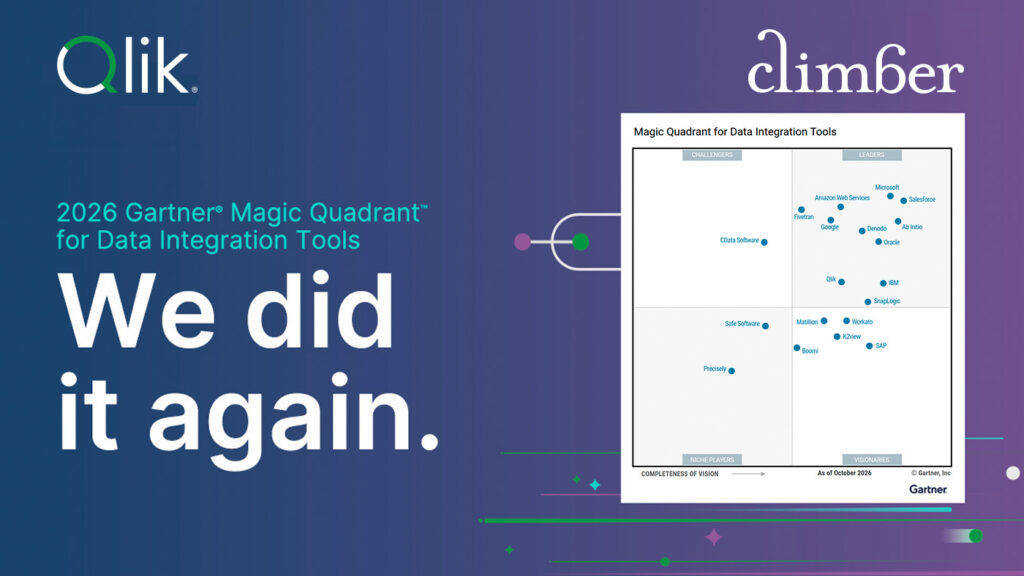
Qlik a Leader in the 2026 Gartner Magic Quadrant for Data Integration Tools
Unsure of how to evaluate the best solution for your needs? Get your free copy of the 2026 Gartner Magic Quadrant report for Data Integration and see why Qlik has been named a Leader for the eleventh time in a row.
>> Download the report
Qlik Partner Ambassador 2026-2027
Qlik has announced its 2026-2027 Partner Ambassadors! We’re proud to see Olof Malmström recognised for the fifth consecutive year. Read his reflections on the year gone by.
>> Read more here!